Demo availability updates automatically every 30 seconds.
Demo only. Do not send funds to this page.

Demo availability updates automatically every 30 seconds.
Demo only. Do not send funds to this page.

Demo only — no payment has been made or sent.
Deposit Amount:
Important Notes:
- Please do not refresh your browser.
- Please take note of the reference number if you need to contact our Customer Service for further action.
Guide
⚠ Please deposit using your OWN ACCOUNT with the registered name.
We reserve the right to BAN users who violate the rules.
Demo QR only — no real payment will be made.
Don't have your phone with you?
Sign In to PayDemo QR only — no sign-in or real payment occurs.
Deposit Amount:
Important Notes:
- Please do not refresh your browser.
- Please take note of the reference number if you need to contact Customer Service.
- Demo QR only — no real payment will be made.

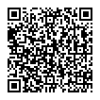
Kindly scan the QR code below to proceed with payment.
Do Not Refresh!
Scan QR in 05:00
Demo QR only — no payment will be made.
How do you want to pay with TNG eWallet?
Demo only — no payment has been made or sent.
Please continue with your selected bank.
Secure online payment · Demo only
This screen does not collect credentials or contact a bank. Payment credentials are disabled in this prototype.
Demo payment flow ended without a transaction.